Your server · your world · your computer

Your own Minecraft server,
without the headache.

Craft Conductor turns a home computer into a Minecraft server for your family and friends. It sets up Minecraft, the mods and Java for you, gets your friends' games ready to join, makes backups, and keeps everything up to date. All from one control panel in your browser.

Download Craft Conductor
  • Free and open source
  • Runs on Windows, Mac and Linux
  • No command lines or config files

What it does

Simple the first time.
Still there when you want more.

You don't need to know what a mod loader, a port or a JAR file is. Craft Conductor asks in plain words and does the fiddly parts. When something goes wrong, it says what happened and offers a fix.

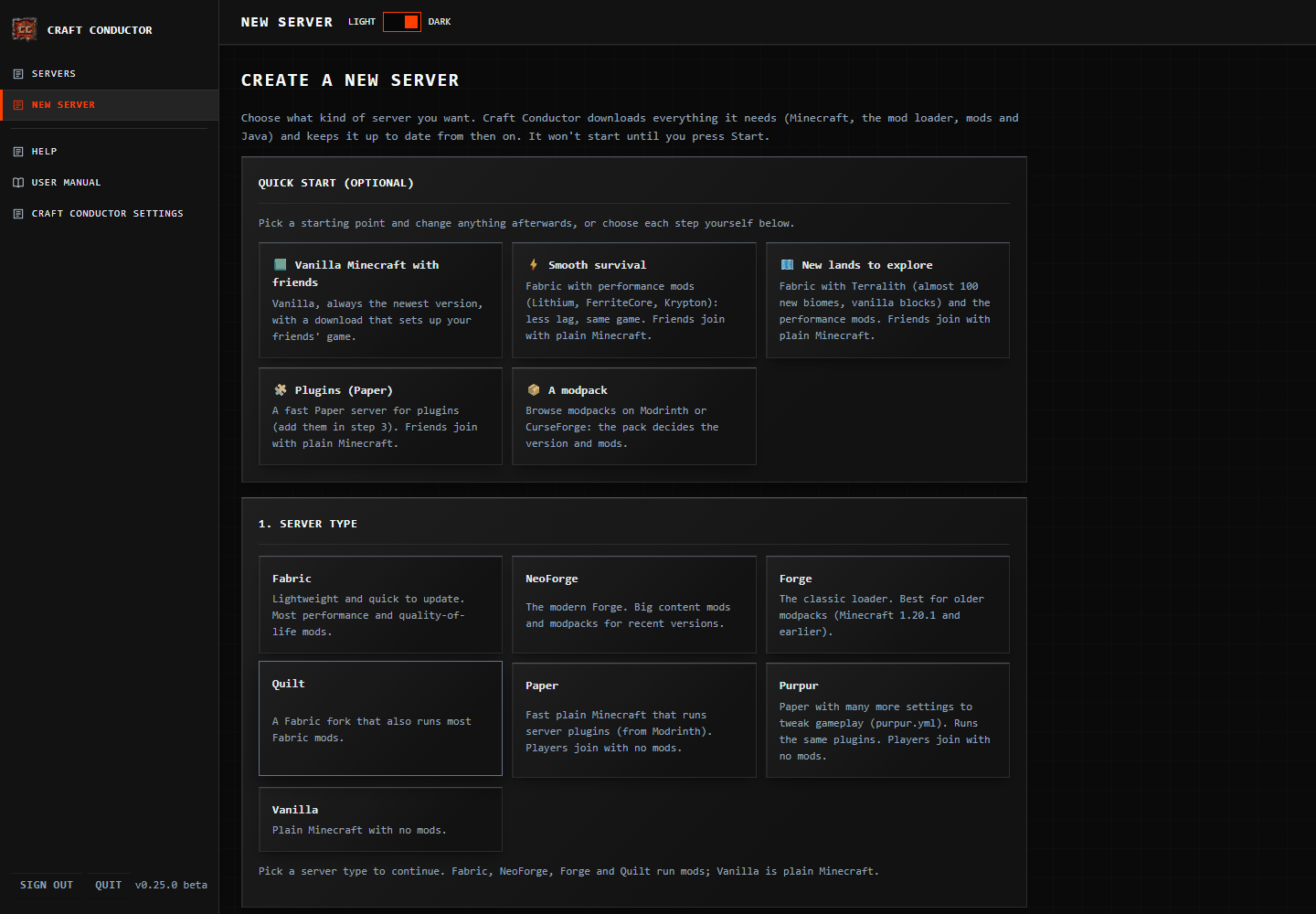
The New server page, with ready-made quick starts

A server in a few clicks

Pick a ready-made setup or choose Minecraft's version, the server type (Fabric, NeoForge, Forge, Quilt, Paper or plain Minecraft) and your mods. Craft Conductor downloads the right Java, loader and mods, and checks they start before anyone plays.
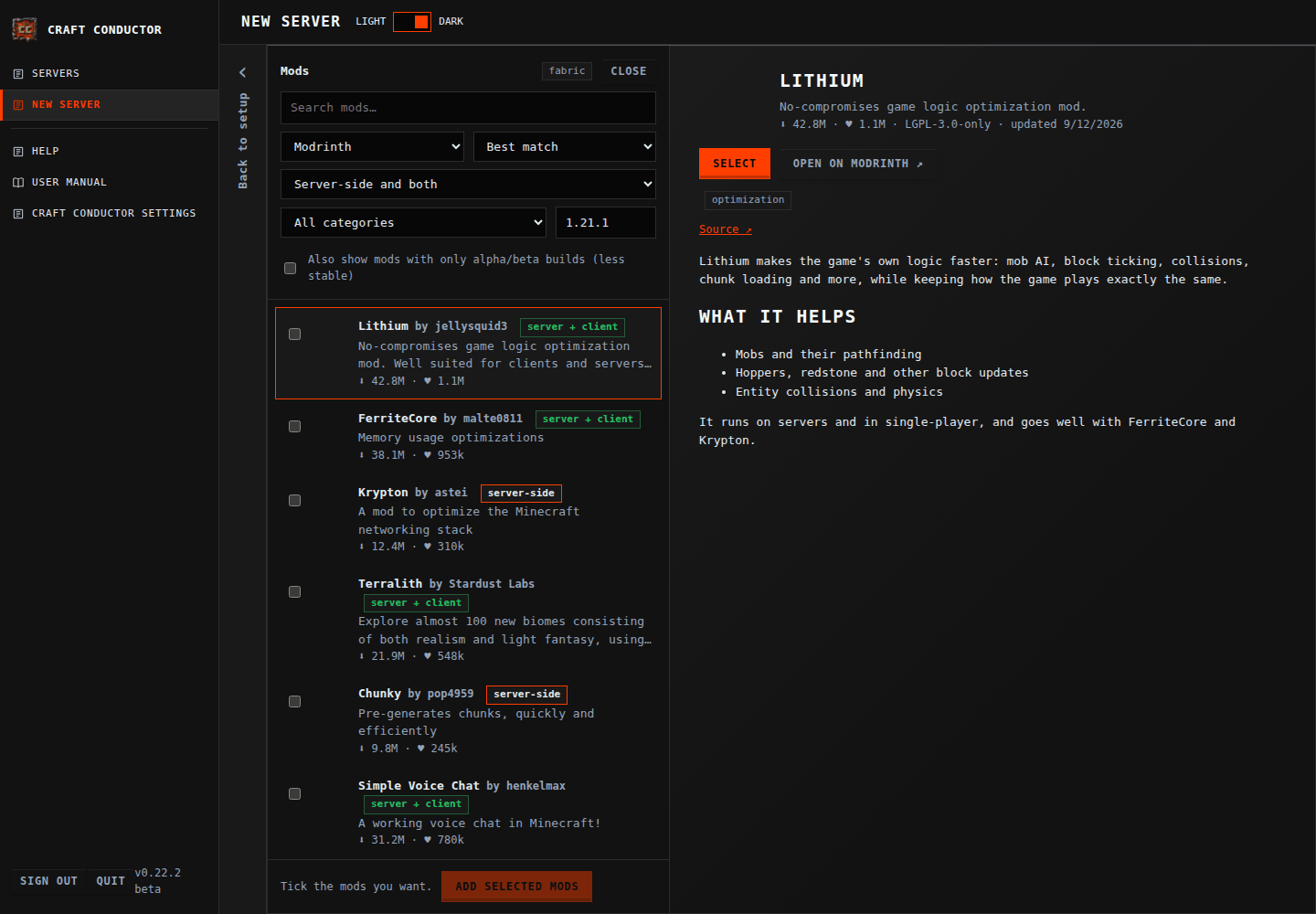
The mod browser, searching Modrinth and CurseForge

Mods without the chaos

Find mods and modpacks on Modrinth and CurseForge. Craft Conductor adds the mods they need, warns about early (beta or alpha) builds, and tells you plainly when a mod has no build for your Minecraft version. It never changes your version to make one fit.

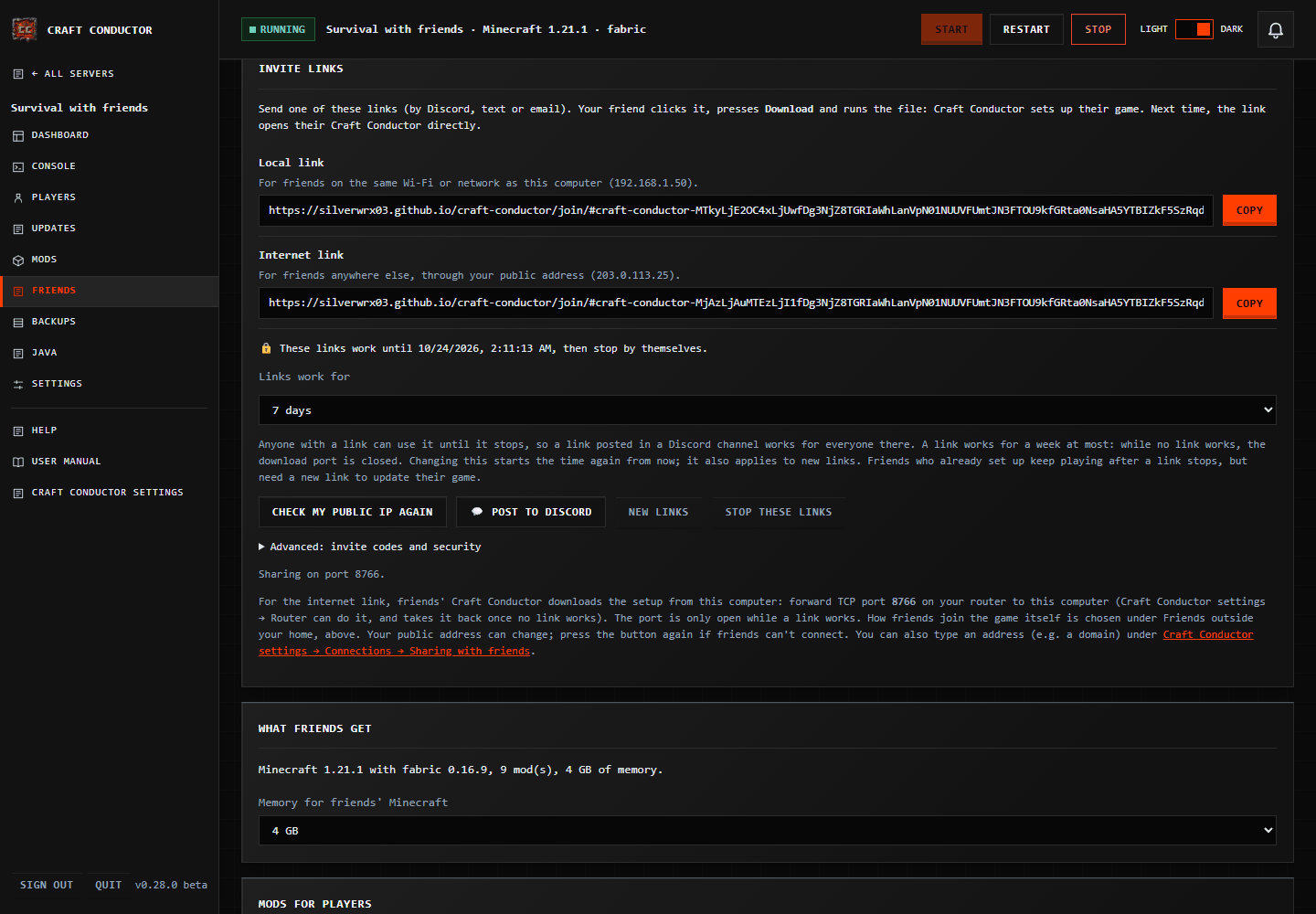
The Friends page with the invite link

Friends join with one link

Send an invite link: it sets up your friends' game with the right version and mods. The whitelist keeps strangers out, and when someone new asks to join you allow them with one press.

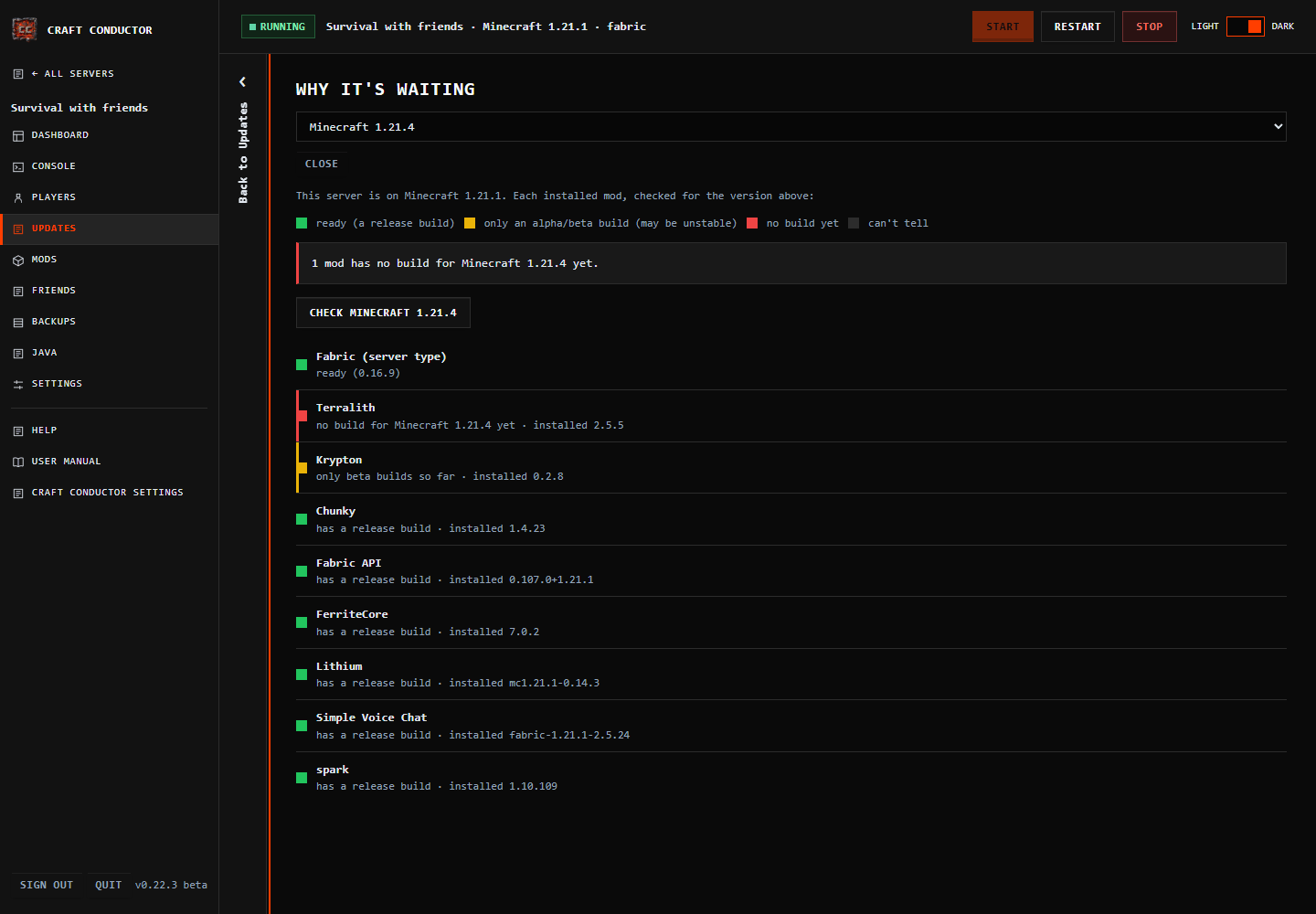
Update readiness: which mods are ready for a new Minecraft

Updates that don't break things

A new Minecraft goes in once every mod supports it. There's a backup first, you can try the update on a copy, and if the new version doesn't start, Craft Conductor rolls it back.

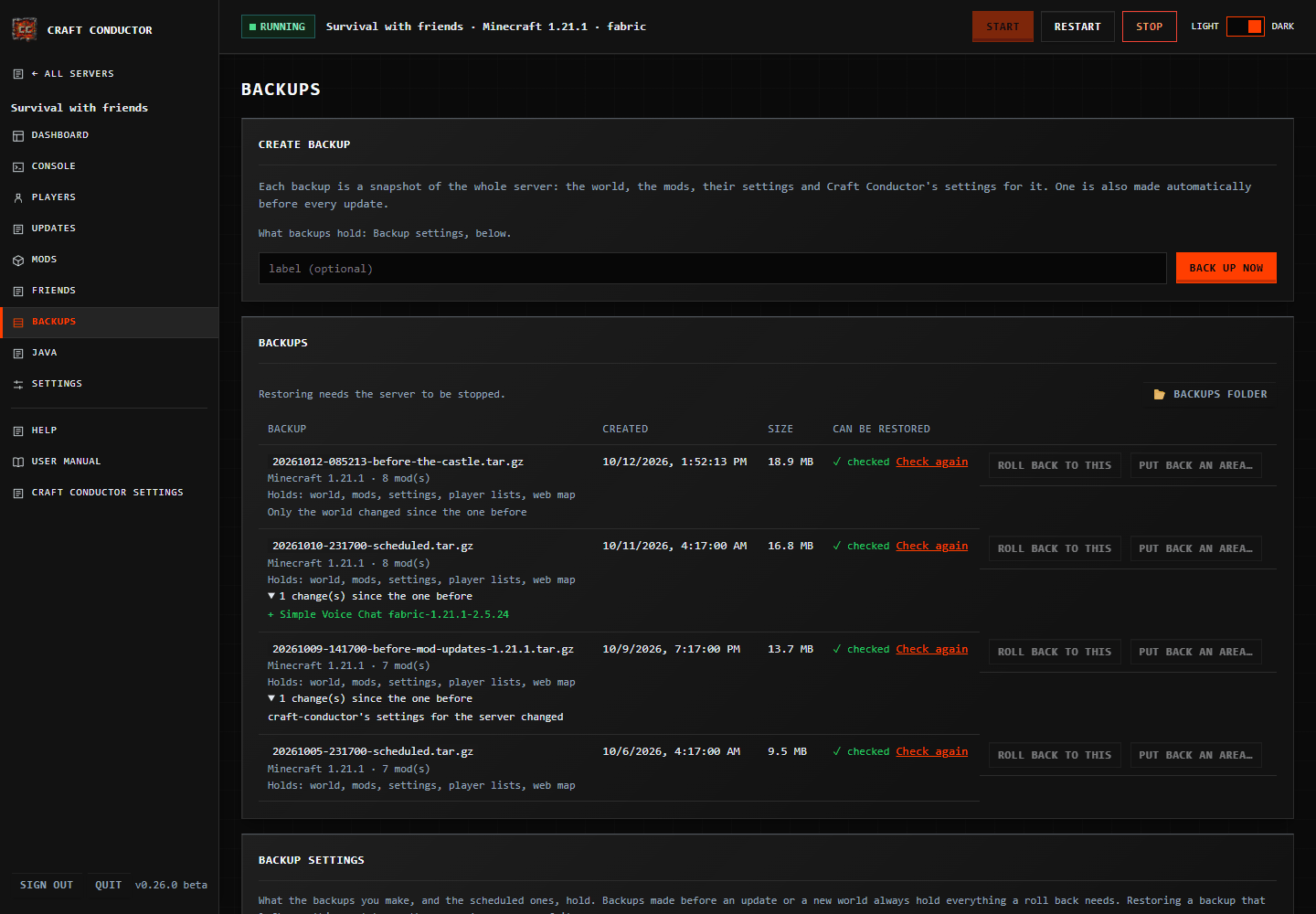
Backups, checked, with what changed

Backups you can trust

Scheduled backups, a backup before every update, a check that each one is complete, and a list of what changed. Roll the whole server back, or just put one area of the world back.

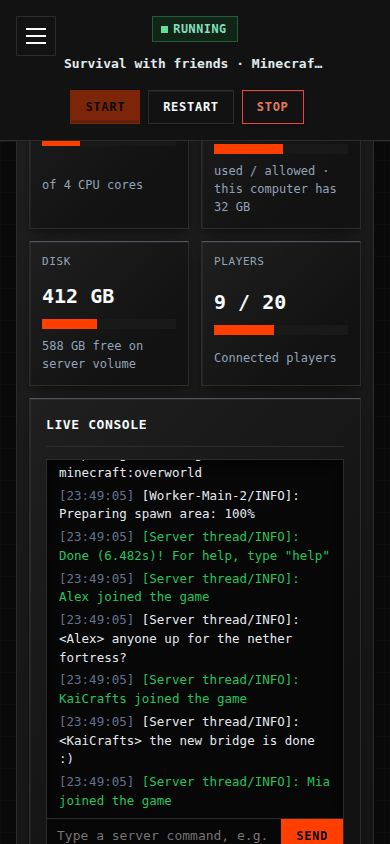
Craft Conductor's control panel on a phone

From your phone, too

Install the control panel on your phone, get notifications when a friend asks to join or a server stops, and invite helpers with their own sign-in and only the permissions you choose.

Try it before you install

The real control panel, with made-up data.

The demo is Craft Conductor's own control panel from the release shown below, running in your browser with fictional servers and players. Make a server, start it, let a friend in, add mods, back up and update. Nothing is installed, nothing runs on your computer and nothing is sent anywhere.

On your phone
Scan the code to try the phone demo, or open it here. Each device keeps its own made-up data.

The demo shows the newest published release.

Download

One file. No installer.

Get the file for the computer that will run the server. No Python and no Java to set up first. Craft Conductor is free, open source and in beta: keep backups (it makes one before every update) and please report problems.

Downloads come from the newest release on GitHub, with its notes and SHA256SUMS.txt to check them. Anything else with Python 3.11 or newer: pipx install the release's .whl file, or use the Docker image (see Power users).

Joining a friend's server? You don't need this page: open the invite link they sent you. It offers the right download and sets up your game.

Getting started

From download to playing.

  1. 01 · Open it

    Run the file

    On Windows, if SmartScreen says it "protected your PC", choose More info → Run anyway (Craft Conductor isn't code-signed yet). On a Mac, run it once from Terminal: see Getting started.

  2. 02 · Sign in

    Your browser opens it

    Press Run my own server, accept the notice, sign in with PASSWORD, and choose your own password.

  3. 03 · Make it

    Press New server

    Pick the kind of server and your mods, then Create my server. The guided setup can walk you through every step.

  4. 04 · Play

    Start it and invite friends

    Press Start, join from Minecraft, and send friends the invite link from the Friends page.

Help and the manual

Answers in plain words.

Safety and releases

Your computer, your data.

No tracking

Craft Conductor doesn't collect usage data: no analytics, tracking, advertising or account. Your worlds, settings and backups stay on your computer.

Strangers stay out

The whitelist is on when the server can be reached from the internet, and friends outside your home join through a free playit.gg tunnel or your router (Craft Conductor explains the risks of each).

Checked downloads

Each release lists the SHA-256 of its files, and the built-in updater checks them before installing a new version.

Tested on real computers

Besides automated tests, releases are tried on real machines. The real-world testing dashboard shows what was tested for each version.

Open source

GPL-3.0-or-later. Made with the help of AI (Anthropic's Claude), and tested, but it may still have mistakes: it's provided as is. Security policy.

Not affiliated

Minecraft belongs to Mojang; each mod belongs to its author. Craft Conductor isn't affiliated with Mojang, Microsoft, Modrinth or CurseForge.